Productize WordPress Client Site Delivery With One Template Tenant

If your service includes getting clients a web presence (LLC formation, legal documents, financial consulting, business setup), the website is part of the deliverable. The problem is that building each site bespoke does not scale. This guide shows how to turn client site delivery into a repeatable product using one template tenant in GrabWP Tenancy Pro.
Why bespoke-every-time does not scale
Building each client site from a blank WordPress install feels thorough, but it quietly eats your margin. Every new client means a new hosting account, a new set of credentials, and hours of assembling the same pages, theme, and plugins you already built last time. Updating your standard branding or template across twenty client sites means doing it twenty times.
The productized alternative is simple: build your standard service site exactly once, then stamp it out for every client. You stop selling your hours and start selling a repeatable outcome.
What “productized” looks like in practice:
- One WordPress installation runs your whole portfolio, not one install per client
- One template holds your standard structure, so every client starts identical
- Cloning replaces the manual rebuild, so setup is minutes instead of hours
- Each client site is isolated, with its own content and uploads
Step 1: Build your standard service site template once
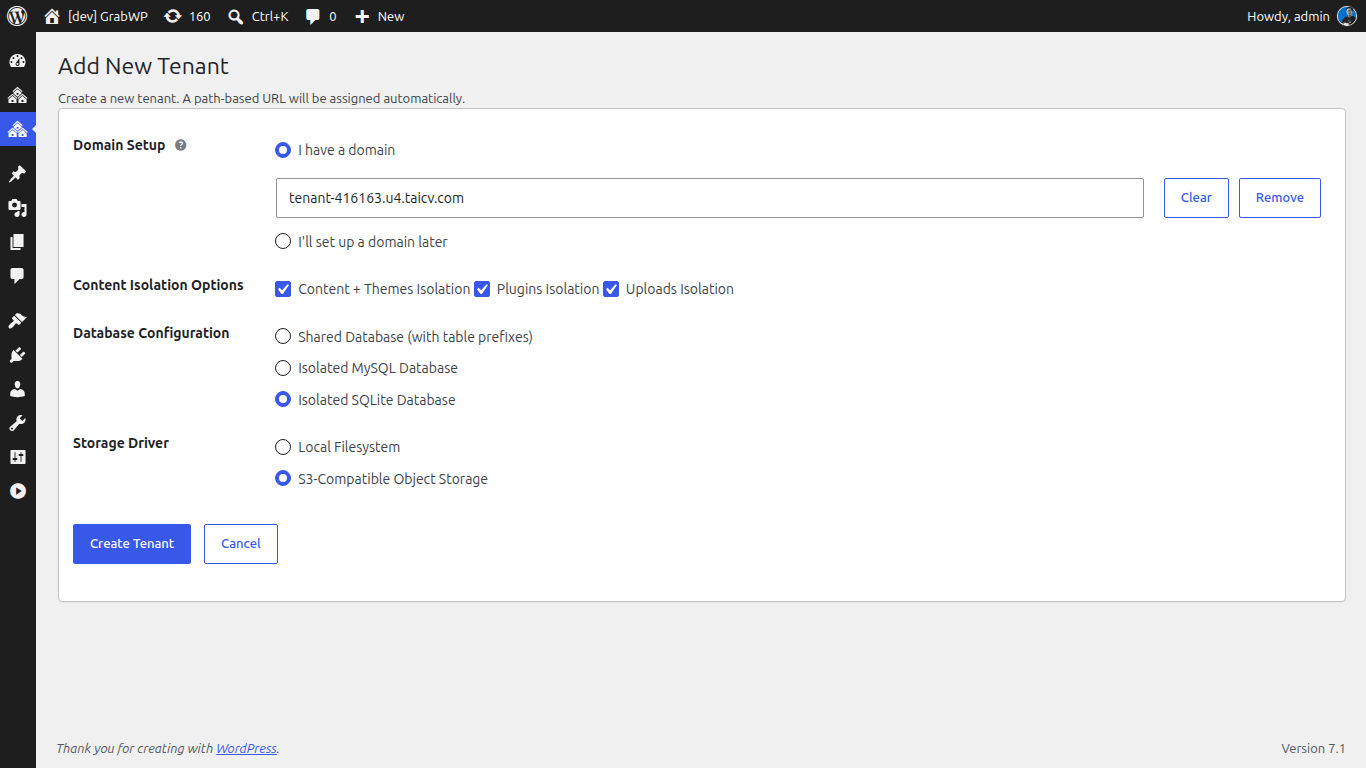
Pick a tenant to be your master template and set it up the way you want every client to receive it. Because GrabWP Tenancy Pro gives each tenant complete wp-content separation (isolated themes and plugins per tenant), your template can carry the exact plugin and theme stack you deliver.
- In your main WordPress admin, go to GrabWP > Tenants and create a tenant named clearly, for example “Service Template”.
- Choose the database option that fits your delivery. Pro lets each tenant use shared MySQL (with table prefixes), a dedicated MySQL database, or SQLite.
- Install and configure the theme and plugin stack you ship to every client.
- Build the standard pages, menus, and default settings your clients expect on day one.
Treat this tenant as read-only going forward. It is the master you clone from, not a live client site.
Step 2: Clone the template for each new client
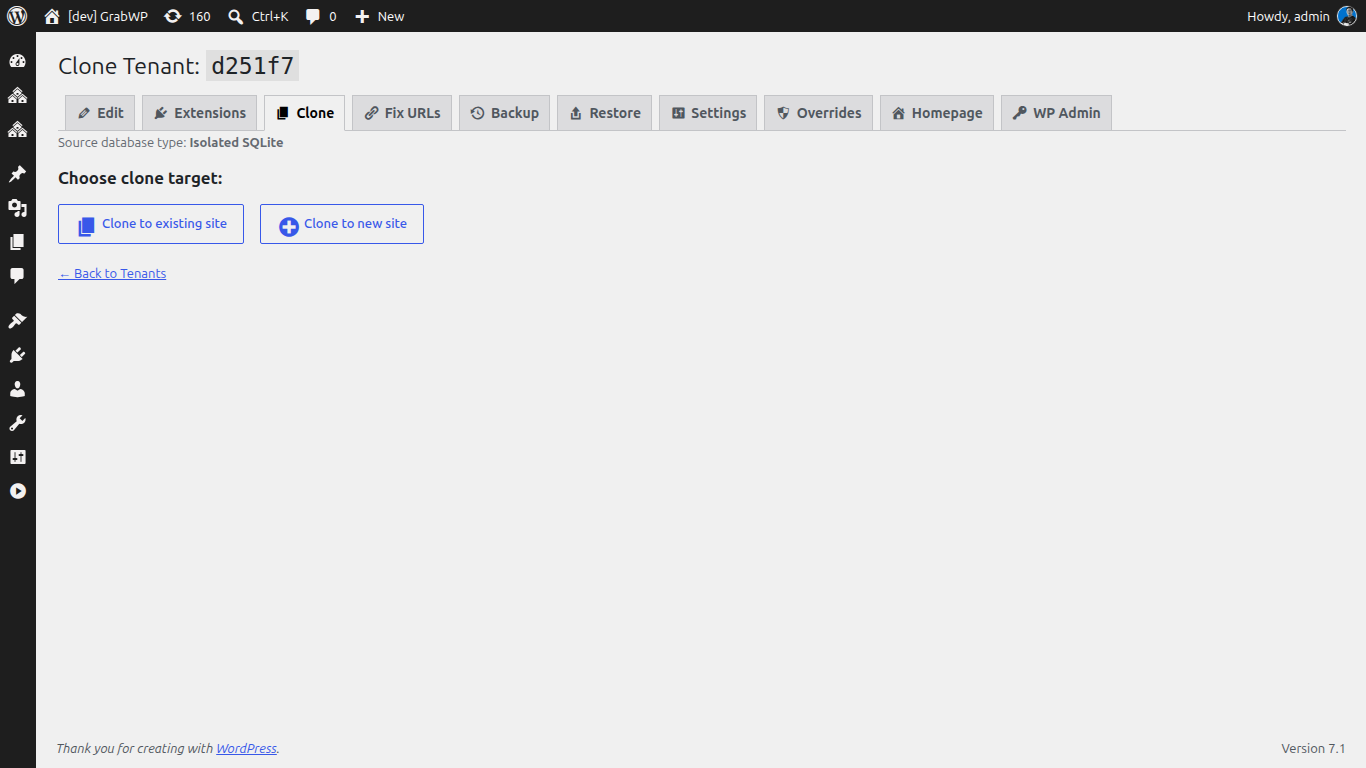
When a client signs up, you do not rebuild. You clone. GrabWP Tenancy Pro runs a full AJAX-driven clone workflow that copies the source tenant’s database tables and uploaded files, then rewrites URLs across the new tenant’s database, including serialized data, so the copy is immediately consistent.
- Open GrabWP > Tenants and start a clone from your “Service Template” tenant.
- Give the new tenant an identifier for the client (for example, “Client A”).
- Start the clone and watch the AJAX progress UI work through copying the database and uploads and running the URL search-replace.
- When it finishes, the new tenant is a working copy of your template with its own isolated content and media.
Because the clone file copy skips symlinks, it does not accidentally duplicate the shared plugin and theme directories, so your clones stay clean.
Step 3: Map their domain or /site/ path route
Every client site needs an address. GrabWP Tenancy gives you two routing options, so you can match the client’s needs without touching server config.
- Custom domain: map the client’s own domain to their tenant through the admin interface. Good for clients who want their brand on the URL.
- Path-based routing: serve the tenant from a subdirectory such as
example.com/site/client-a, with no DNS changes required. The path prefix defaults tositeand is configurable viaGRABWP_TENANCY_PATH_PREFIX.
With Pro you can also assign a readable path alias (3 to 30 characters, lowercase letters, numbers, and hyphens) such as /site/acme-co/ instead of the raw tenant ID, and tenant-ID URLs 301-redirect to the alias so old links keep working.
Step 4: Deliver a consistent handoff every time
The payoff of a template is that the client experience is identical on every project. The client logs into their own WordPress admin and sees only their site, with the same structure, the same plugins, and the same polish you delivered to the last client.
- Confirm the client’s routing (domain or path alias) resolves to their tenant.
- Hand over the login for their isolated WordPress environment.
- Run the whole portfolio from your single provider dashboard, no logging in and out of separate admins.
That repeatability is what makes this a product. You quote the same scope, deliver the same quality, and spend your time serving clients instead of rebuilding infrastructure.
When a client eventually wants their own site content managed independently, see let each client manage their own isolated site. And when a client moves on, you can hand off their site cleanly with no lock-in.
Ready to productize your delivery? GrabWP Tenancy Pro is $9.99/month flat for your entire client portfolio (annual $99.99/yr, lifetime $499.99), with every feature included.
Tác giả
GrabWP Team
WordPress Multi-Tenancy Experts
The GrabWP team builds and maintains the GrabWP Tenancy plugin, helping developers and agencies run scalable multi-tenant WordPress platforms. With years of experience in WordPress core, hosting infrastructure, and plugin development.
Câu hỏi thường gặp
- What is a template tenant in GrabWP Tenancy Pro?
- A template tenant is a standard service site you build once (pages, theme, plugin stack, and default settings) and treat as the master you clone from. Instead of assembling each client site by hand, you clone the template to a new tenant, and the clone copies the database tables, content, and uploaded files with the URLs rewritten to the new tenant. Every client starts from the same known-good baseline.
- Does cloning copy the client's content and media too?
- Yes. The Pro clone workflow is a full AJAX-driven operation that copies the database and the uploads for the source tenant, then runs a URL search-replace across the new tenant's database (including serialized data) so links, settings, and options point at the new site. You get a working copy, not an empty shell.
- Do I need a separate domain for every client site?
- No. You can map a full custom domain per tenant, or serve tenants from a subdirectory path such as example.com/site/abcdef using path-based routing, which avoids DNS changes entirely. The path prefix ('site' by default) is configurable through the GRABWP_TENANCY_PATH_PREFIX constant.
- How is this different from spinning up a new WordPress install per client?
- A separate install per client means a new hosting account, new credentials, and a fresh manual build every time. With GrabWP Tenancy Pro you run one WordPress installation and clone your template into isolated tenants, each with its own content and uploads, managed from a single dashboard you control.
- Can I still customize each client site after cloning?
- Yes. The clone gives every client the same starting point, and from there each tenant is independent. With Pro you also get complete wp-content separation, so a tenant can run its own themes and plugins without affecting the template or any other client.
- How much does GrabWP Tenancy Pro cost?
- GrabWP Tenancy Pro is $9.99/month flat for your entire client portfolio, with an annual plan at $99.99/yr and a lifetime license at $499.99. There are no per-client charges.
Editorial standards: Our content is written by WordPress experts with hands-on multi-tenancy experience. Articles are fact-checked and regularly updated to ensure accuracy. Last verified: .