How to Isolate WordPress Client Sites Without Multisite

Isolation is one of those words that sounds settled until a client asks the hard question: if another site on this install gets hacked or corrupts its data, does mine go down too? If your answer depends on a shared database, the honest reply is “maybe.” This guide walks through a setup workflow for giving each client site real isolation (separate data, separate code, separate failure domain) while you still manage one WordPress install.
What “Isolation” Actually Means
Isolation is not one property. It is three, and Multisite delivers roughly one of them.
- Data isolation: one tenant’s rows, users, and options cannot be read or corrupted through another tenant’s context.
- Code isolation: each tenant can run its own themes and plugins at its own versions, so an update or a bad plugin on Client A never touches Client B.
- Failure-domain isolation: when one tenant breaks (a fatal error, a corrupt table, a bad restore), the blast radius stops at that tenant.
Multisite shares one database and one wp-content directory across every subsite. Subsites are separated only by a blog ID and a table prefix inside that single database. That gives you a weak form of data separation and nothing else: every subsite runs the same plugins and themes from the same directory, and a single corrupt table or fatal plugin error sits inside the same failure domain as everyone else. Prefixes separate rows. They do not separate risk.
Database Isolation: Prefix, Dedicated MySQL, or SQLite
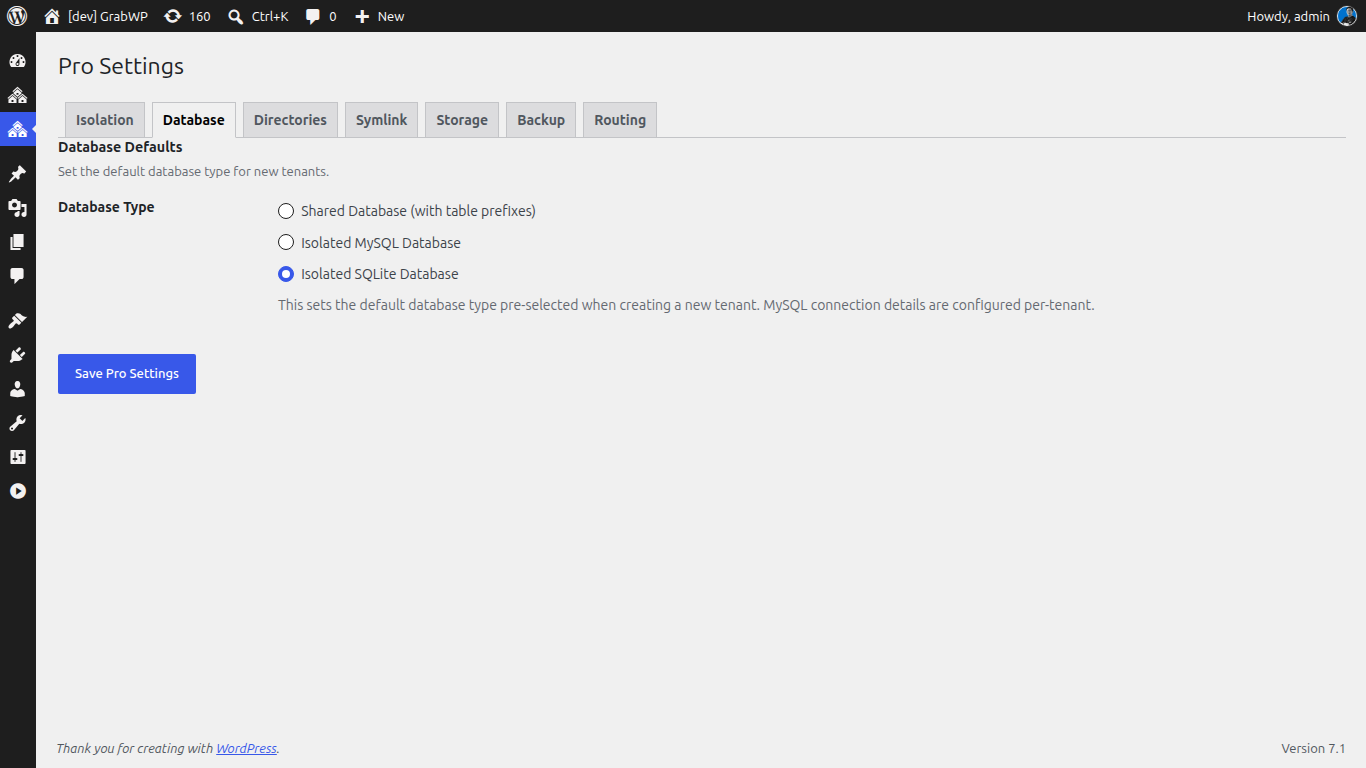
Database isolation is the axis with the most options, so pick deliberately.
- Shared MySQL, unique prefix per tenant (free plugin): GrabWP Tenancy gives every tenant a unique table prefix in the shared database plus a separated uploads directory. This is real row-level separation and it is the fastest way to stand up many client sites, but the tenants still live in one database, so it is partial isolation.
- Dedicated MySQL database per tenant (Pro): GrabWP Tenancy Pro gives each tenant its own MySQL database. This is complete data isolation with zero cross-tenant risk at the database layer: a lock, a bloated table, or a corrupt index stays inside that one client’s database.
- SQLite per tenant (Pro): for lightweight or portable tenants, Pro can back a tenant with its own SQLite database file, which makes the tenant self-contained and trivial to move.
Because Pro supports cross-database migration, these are not one-way doors. You can start a client on the shared-prefix model and move that tenant to a dedicated MySQL or SQLite database later without rebuilding it.
Code Isolation via Per-Tenant wp-content
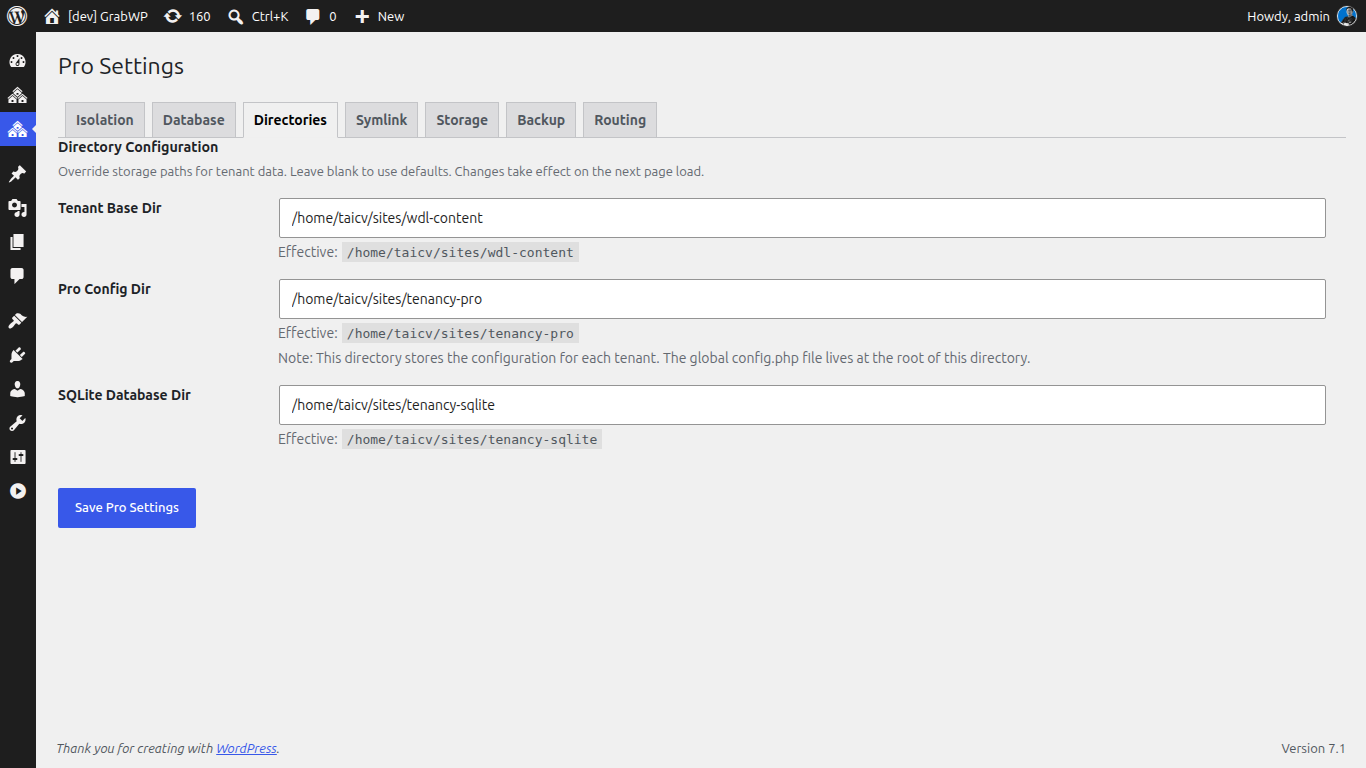
Data isolation is only half the story. If two clients share one wp-content directory, they share one set of plugin and theme files, which means one client’s plugin update or one incompatible theme becomes everyone’s problem.
The free plugin isolates uploads per tenant. Pro goes further with full wp-content separation: isolated themes, plugins, and uploads per tenant, each under its own content directory. That is what lets Client A run an old, pinned version of a page builder while Client B runs the latest, with no shared file and no version collision. Pro can also place a tenant’s data location outside wp-content/uploads entirely, which is useful when you want tenant storage on a separate volume.
Routing Each Tenant Without DNS
Isolation is worthless if clients cannot reach their sites, and you should not have to touch DNS for every new tenant. GrabWP Tenancy routes tenants two ways:
- Path-based (subdirectory) routing: reach a tenant at
yoursite.com/site/client-awith no DNS changes at all. Thesiteprefix is configurable through theGRABWP_TENANCY_PATH_PREFIXconstant if you want a different segment. - Custom-domain routing: point a client’s own domain at the tenant when they are ready for a branded URL.
Path-based routing is the isolation workflow’s quiet superpower: you can provision, test, and hand off a fully isolated client site before any DNS exists. There is also cache isolation baked in, so tenants do not collide on shared infrastructure. The plugin disables page-cache drop-ins per request and prefixes object-cache keys with the tenant ID, which prevents cross-tenant cache collisions on a shared Redis or Memcached backend.
Failure-Domain Isolation via Per-Tenant Backup and Restore
The failure domain is the axis people forget until an incident. True isolation means you can back up and restore one client without touching any other.
Pro provides a per-tenant 7-step backup and 8-step restore with AJAX progress, so recovering Client A is a self-contained operation. You can schedule automatic backups (hourly, twice-daily, daily, weekly, fortnightly, or monthly) with per-tenant overrides, and offload them to S3. That combination is what turns “isolated” from an architecture claim into an operational reality: one tenant can be rolled back to yesterday while every other tenant keeps running untouched.
Standing Up an Isolated Tenant, Step by Step
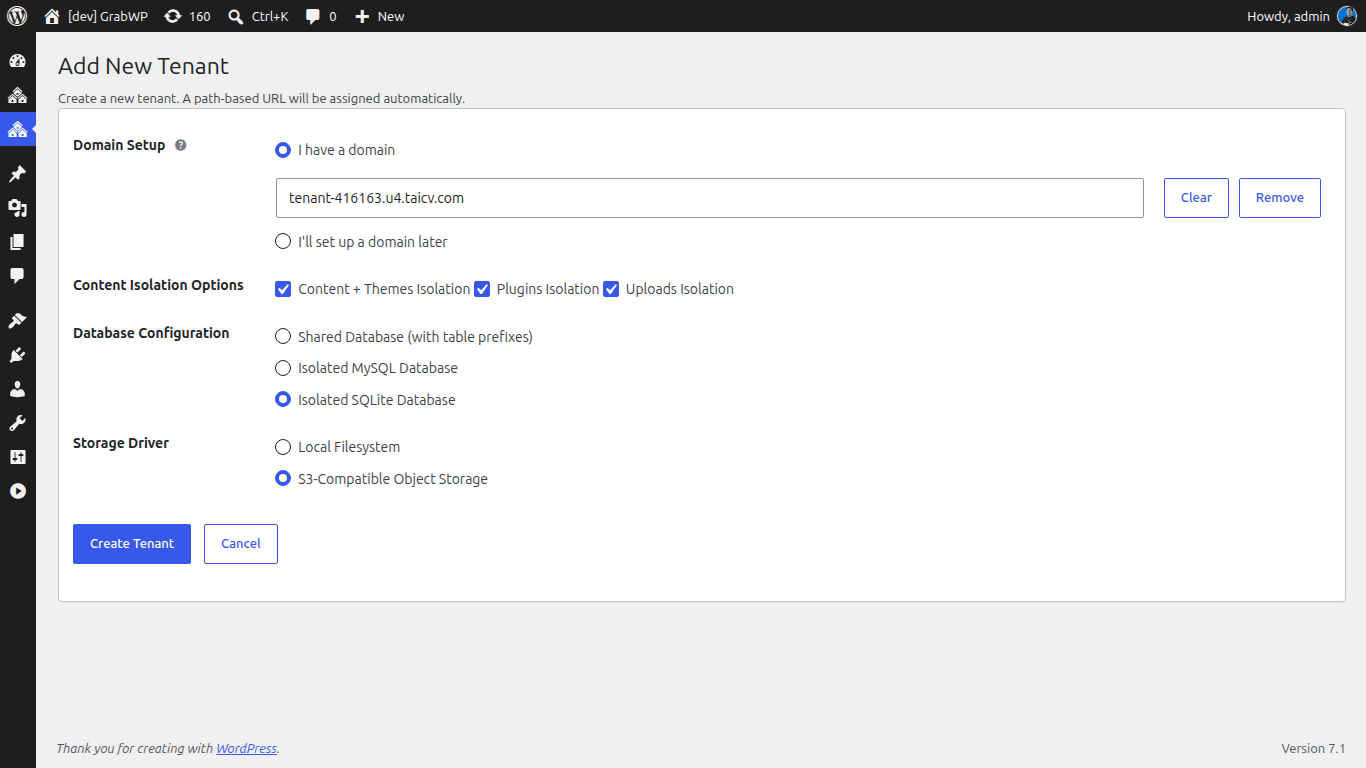
Here is the concrete workflow for a genuinely isolated client site:
- Install GrabWP Tenancy on your single WordPress install and activate it.
- Create the tenant for the client. On the free plugin this provisions a unique table prefix and a separated uploads directory automatically.
- Upgrade the tenant to full isolation with Pro: assign it a dedicated MySQL or SQLite database and its own wp-content directory so data and code are both separated.
- Route the tenant using path-based routing (
yoursite.com/site/client-a) so you can build and test with no DNS, then attach the client’s custom domain at handoff. - Set the backup schedule for that tenant, add an S3 offload target, and run one manual backup and test restore to confirm the failure domain is truly isolated.
- Clone from a base tenant when you need a repeatable starting point: cloning copies the DB tables and uploads with automatic URL replacement (it skips symlinks), so a new client starts from your standard stack.
The result is one install to update and monitor, with each client sitting in its own data, code, and recovery boundary.
When Isolation Matters Most
Not every project needs dedicated databases. But isolation stops being optional when:
- You host client work you are contractually responsible for, where one client’s incident cannot be allowed to affect another.
- Clients run conflicting plugin or theme versions that cannot coexist in a shared wp-content.
- You need a clean per-client failure and recovery boundary, so a bad restore or a corrupt table is one client’s problem, not your whole roster’s.
- You want a data-isolation architecture you can describe honestly to clients who ask where their data lives.
For a deeper look at where the shared model breaks down, see when not to use WordPress Multisite and the full Multisite vs multi-tenancy comparison.
Get Started
Start with the free GrabWP Tenancy plugin for unique table prefixes, separated uploads, and no-DNS path routing. When a client needs complete isolation (dedicated MySQL or SQLite, full wp-content separation, and per-tenant backup and restore), upgrade to GrabWP Tenancy Pro at $9.99/month.
Written by
GrabWP Team
WordPress Multi-Tenancy Experts
The GrabWP team builds and maintains the GrabWP Tenancy plugin, helping developers and agencies run scalable multi-tenant WordPress platforms. With years of experience in WordPress core, hosting infrastructure, and plugin development.
Frequently Asked Questions
- Why don't Multisite table prefixes count as real isolation?
- Multisite uses one database and one wp-content directory for every subsite, distinguished only by a blog ID and table prefix inside that single database. A crashed query, a corrupt table, or a plugin that writes outside its scope can affect the whole network. Prefixes separate rows, not failure domains, so a problem in one site can still take down the others.
- Can I isolate client sites without changing DNS or spinning up new servers?
- Yes. GrabWP Tenancy supports path-based routing such as yoursite.com/site/client-a with no DNS changes, alongside optional custom-domain routing. Each tenant runs from the same install, so you add isolated client sites without new hosting accounts or DNS records.
- What is the difference between the free plugin and Pro for isolation?
- The free GrabWP Tenancy plugin gives each tenant a unique table prefix and a separated uploads directory, which is partial isolation. Pro adds a dedicated MySQL or SQLite database per tenant plus full wp-content separation, so themes, plugins, uploads, and data are completely isolated per client.
Editorial standards: Our content is written by WordPress experts with hands-on multi-tenancy experience. Articles are fact-checked and regularly updated to ensure accuracy.