Build One Starter Site, Clone It for Every Client: A Freelancer Workflow

Every freelancer knows the tax on a new client project: a fresh WordPress install, the same starter plugins installed one by one, the same theme configured again, the same baseline pages and settings rebuilt from memory. An hour or two gone before you write a single line of real work, repeated for every client, forever.
There is a faster pattern. Build your ideal starter site once, then clone it for each new client in seconds. This guide shows the exact workflow using GrabWP Tenancy, which runs multiple isolated client sites from a single WordPress installation with no Multisite required.
The Problem With “Fresh Install Every Time”
The default freelancer setup is one WordPress install per client, usually one hosting account each. It feels clean, but it scales badly:
- Repeated setup work. Every new site means reinstalling your go-to plugins, reconfiguring the theme, and rebuilding the same starter pages.
- Drift between projects. You improve your process on client 12, but clients 1 through 11 never got the upgrade. Your “standard setup” is different on every site.
- Update overhead multiplies. Ten installs mean ten dashboards, ten plugin update queues, ten places to check when something breaks.
The fix is not “do it faster.” The fix is to do it once and reuse it.
The Starter-Site Workflow
The idea is simple: create one tenant (or use your main site) as a polished starter, then clone it whenever a new client comes in. The clone carries over everything, and you rename and rebrand from there.
Step 1: Build your starter site once
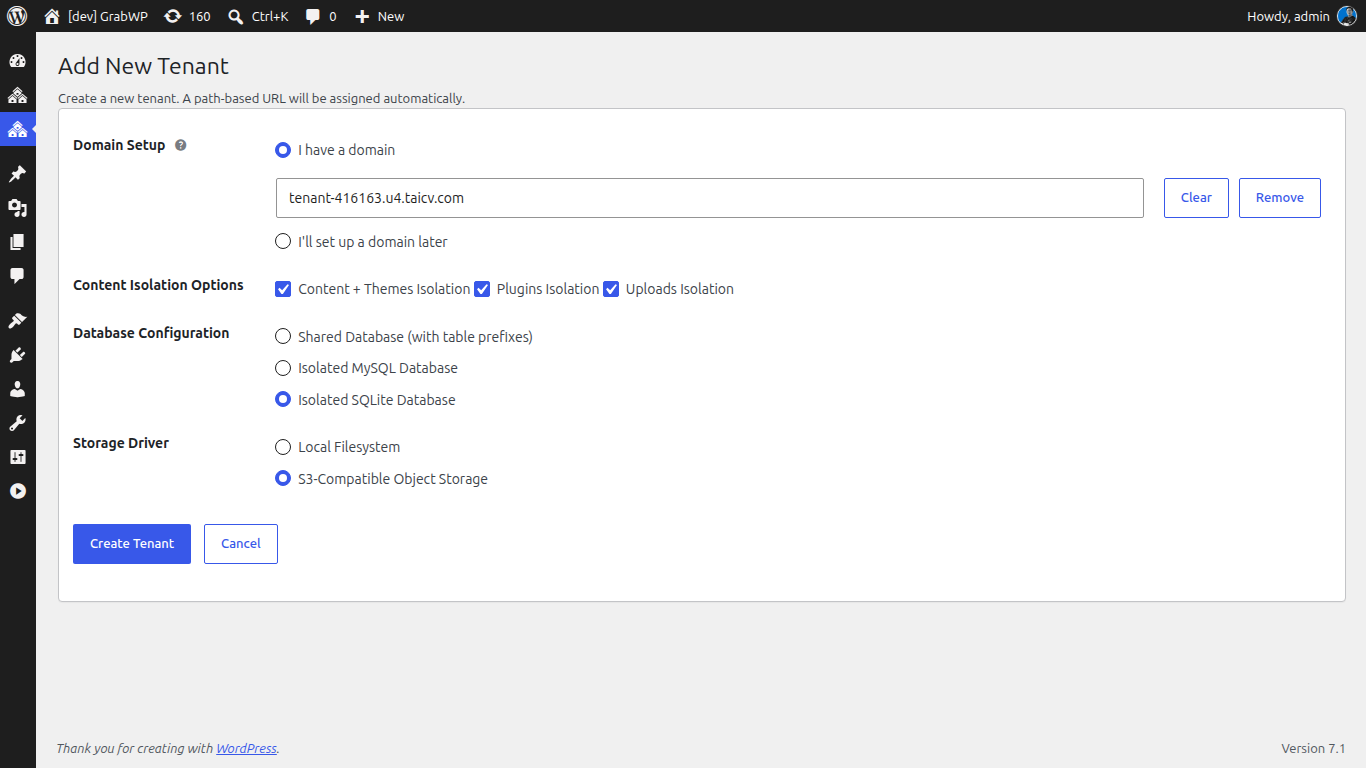
Install the free GrabWP Tenancy plugin on a standard WordPress install, then create one tenant to serve as your template. Set it up the way you start every project:
- Your default theme, configured the way you like it
- Your standard plugin stack (forms, SEO, security, caching, page builder)
- Baseline pages: Home, About, Contact, Privacy, a blog scaffold
- Default menus, a placeholder logo, and your usual settings
Treat this tenant as your product. The more complete it is, the less setup you do per client later. You can also keep your main site as the starter source, since GrabWP allows the main site to be used as a clone source.
Step 2: Clone it for a new client
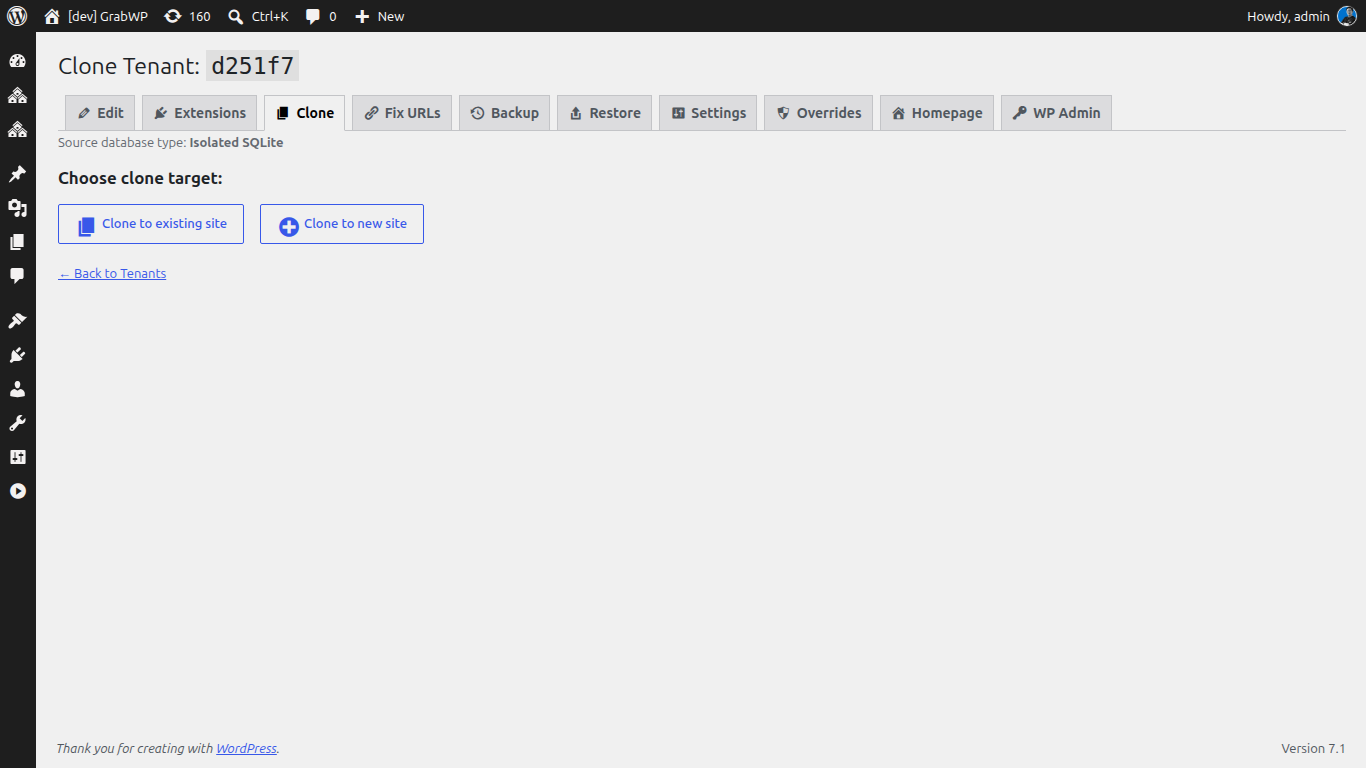
When a new project lands, clone the starter instead of starting over. GrabWP’s tenant cloning copies the source tenant’s database tables and its uploaded files to a brand-new tenant, then rewrites the site URL automatically so the new site loads correctly out of the box. On the Pro plan the clone runs as a step-by-step AJAX workflow, and it supports SQLite databases as well as MySQL.
One important detail worth knowing: the clone copies real files but skips symlinks, so shared plugin and theme directories are not accidentally duplicated. You get the client’s own content without bloating disk usage.
After the clone completes, GrabWP shows the new tenant’s ID with quick links straight to Edit tenant, its Homepage, and its Dashboard, so you can jump in and start customizing immediately.
Step 3: Assign the client’s address
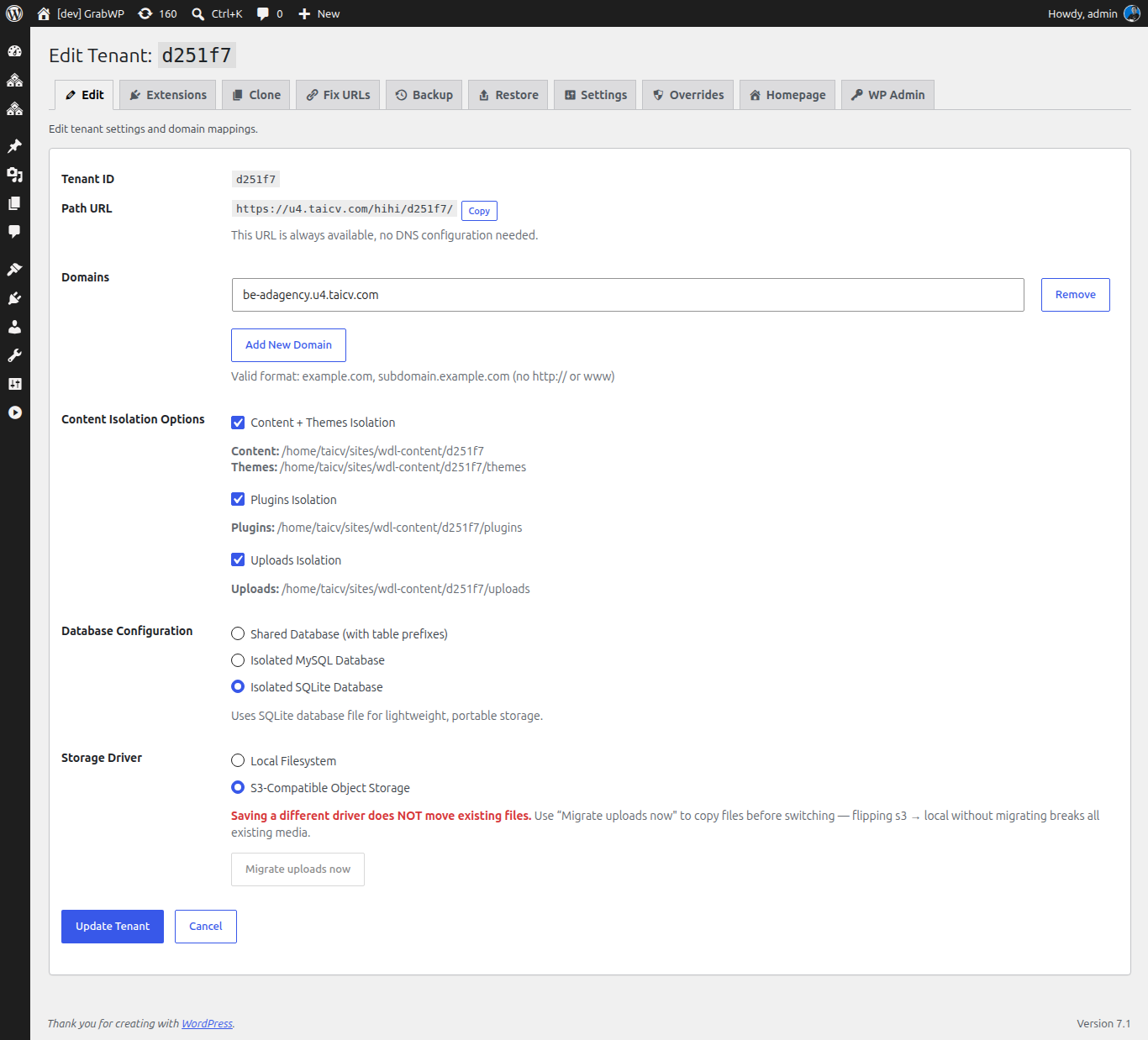
Point the new tenant at wherever the client site should live. GrabWP gives you two routing styles:
- Path-based routing, for example
yoursite.com/site/client-a, which needs no DNS changes and is ideal while a project is still in progress. - Custom domain or subdomain routing, for example
clienta.comorclienta.yourdomain.com, for launch.
Because path-based routing needs no domain setup, you can spin up a working client site to demo in minutes, then map the real domain only when the client is ready to go live.
Step 4: Rebrand and hand off
With the clone in place, you are past setup and into the work that actually bills: swap the logo and colors, replace placeholder copy, and build the client’s real pages on top of a structure you already trust. Every client starts from the same strong baseline, so your quality is consistent and your setup time drops to near zero.
Why This Beats Copy-Paste and Migration Plugins
Freelancers usually reach for a migration or backup plugin to duplicate a site, exporting from one install and importing into another. That works, but it is a multi-step manual chore per client and still assumes a separate install to import into.
The starter-site workflow removes both problems. There is no separate install to provision, because every client is a tenant inside one WordPress. And there is no export/import dance, because cloning is a single action with URL rewriting handled for you. Your clients stay isolated from each other, and you manage them all from one dashboard.
Keeping Clients Isolated After the Clone
Cloning fast is only half the value. The other half is that each cloned client stays properly separated. On the free base plugin, tenants get isolated uploads directories and their own database table prefixes. The Pro plan takes isolation further, giving each tenant a dedicated MySQL or SQLite database and a fully separate wp-content directory, so one client can run WooCommerce while another runs a membership stack with zero plugin conflicts. Pro also adds per-tenant backup and restore, so you can back up or roll back one client without touching the others.
For a freelancer, that means a problem on one client site stays on that client site, and a single dashboard still runs the whole book of business.
Try the Workflow
Start with the free base plugin and build your first starter tenant. When you are managing client sites seriously and want dedicated databases, per-client isolation, and per-tenant backups, the Pro plan starts at $9.99/month. The setup you build once will pay you back on every client after.
For a broader look at running isolated client sites from one install, see the multi-tenancy setup guide.
Written by
GrabWP Team
WordPress Multi-Tenancy Experts
The GrabWP team builds and maintains the GrabWP Tenancy plugin, helping developers and agencies run scalable multi-tenant WordPress platforms. With years of experience in WordPress core, hosting infrastructure, and plugin development.
Frequently Asked Questions
- Does cloning copy my starter site's plugins and theme too?
- Yes. A clone copies the source tenant's database tables and its uploaded files, then rewrites the site URL automatically so the new tenant loads correctly. On the Pro plan, each tenant also gets its own isolated wp-content, so per-client plugin and theme sets stay separate after the clone.
- Can I clone from my main site, not just another tenant?
- Yes. GrabWP lets you use the main site as a clone source, so you can build your starter setup as a normal WordPress site and clone new client tenants from it.
- Do I need WordPress Multisite for this?
- No. GrabWP Tenancy runs on a standard single WordPress installation. There is no Multisite network to configure and no separate hosting account per client.
Editorial standards: Our content is written by WordPress experts with hands-on multi-tenancy experience. Articles are fact-checked and regularly updated to ensure accuracy.